Pollo AI Visual Studio: Connect Image Prompts and Video Ideas
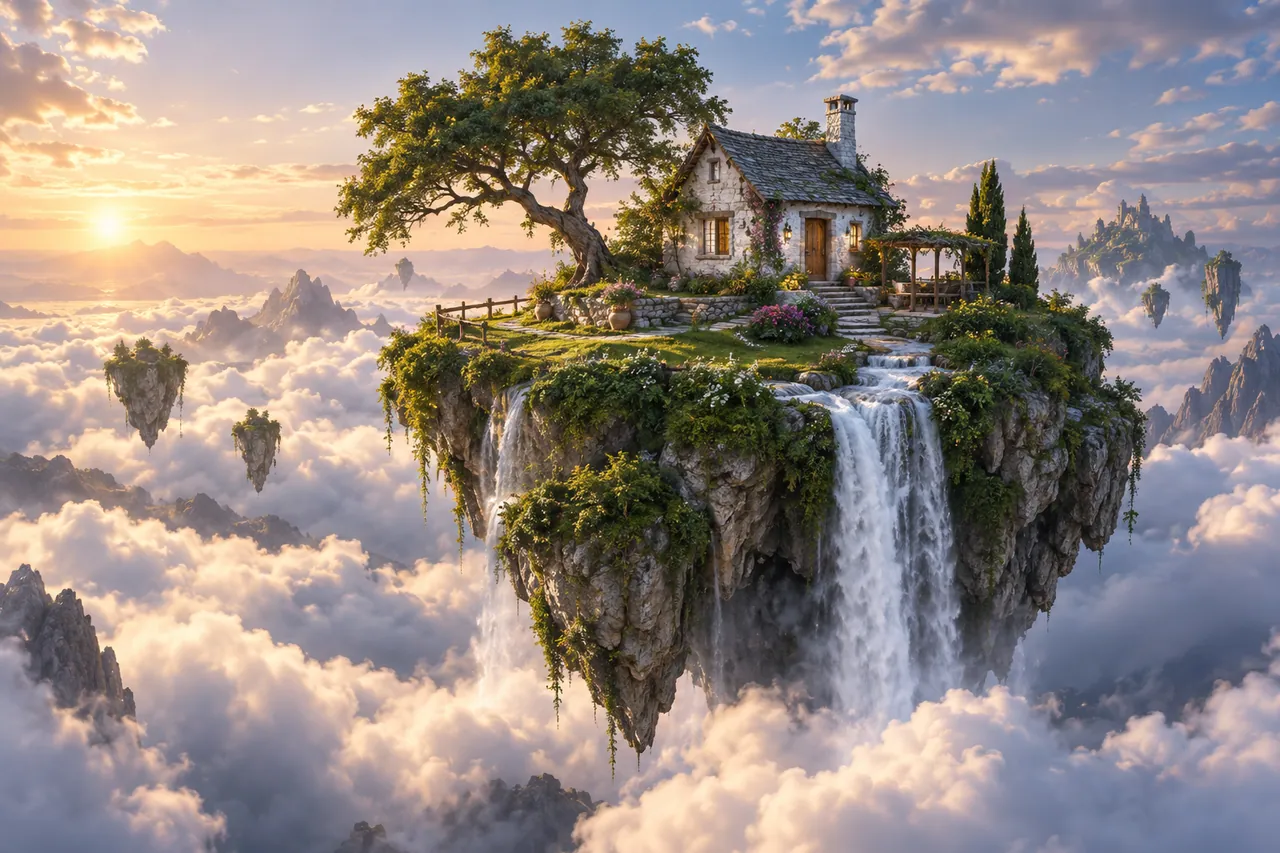
A Pollo AI visual idea becomes easier to develop when the image prompt and the motion prompt do different jobs. Our floating-island concept first establishes a cottage, a waterfall and a clear silhouette above the clouds. The terrace image then offers a more intimate viewpoint. The still-image brief defines the world; a later video brief can describe what moves within that already approved world.
AI-generated concept illustration for this independent Pollo AI guide. A tiny lush floating island carrying one white stone cottage and a waterfall above a sea of clouds.
THE BRAND & THE BRIEF
Explore Pollo AI with a clear creative goal
Pollo AI brings AI image and video creation workflows into a multi-model platform. This page focuses on AI image prompts and image-to-video planning through an original exercise: a floating island travel postcard.
Use the examples to plan your own tests. They are editorial concept illustrations created for this guide, not screenshots, product benchmarks or outputs generated by Pollo AI.
Two image prompts for a floating island travel postcard
Use the first composition to establish the idea and the second to explore a related detail. Adapt the wording and reference inputs to the tool you choose; these prompts describe the creative intent, not a guaranteed result.
PROMPT 01
Establish the visual idea
A tiny lush floating island carrying one white stone cottage and a waterfall above a sea of clouds, cinematic fantasy concept art with clear silhouette. One coherent composition with a clear focal point and natural material detail. Landscape framing. No text, logos, watermarks or decorative borders.
PROMPT 02
Develop the supporting view
A stone terrace on a floating island overlooking soft clouds, a copper telescope and white climbing flowers, sunrise fantasy environment art. One coherent composition with a clear focal point and natural material detail. Landscape framing. No text, logos, watermarks or decorative borders.
02 / MAKE THE DECISIONS
A practical Pollo AI workflow
01
Establish the impossible place
Make the island’s silhouette readable and give the cottage a stable scale. The waterfall should have a visible origin and a plausible path through the image. Even a fantasy scene benefits from consistent spatial relationships.
02
Write motion separately
For a first video test, keep the camera steady and ask only for slow clouds and a gentle waterfall. Save a forward camera move for a separate experiment. This makes it easier to judge whether the island stays intact.
03
Connect the closer view
Repeat the white stone and warm sunrise in the terrace scene. Place the telescope and flowers where they support the view rather than obstruct it. Use a shared palette to help the two shots feel like the same location.
AI-generated supporting concept. A stone terrace on a floating island overlooking soft clouds.
03 / REVIEW BEFORE EXPANDING
What to check in your Pollo AI creative brief
A dramatic camera move can reveal that the source image never resolved the island’s geometry. If the cottage changes shape or the terrace appears disconnected, return to the still-image brief. Clarify the architecture before asking the video model to move through it.
Keep the source prompt, selected reference and revision note together. Compare the next version at its intended display size, and record the specific improvement you want before generating another variation.
PRACTICAL ANSWERS
Pollo AI creative planning questions
Can a GPT image prompt help a Pollo AI project?
A well-written image brief can provide a starting reference or prompt structure. Adapt it to the selected model’s actual inputs and controls instead of assuming that every platform interprets instructions identically.
What should an image-to-video prompt avoid?
Avoid repeating a long static description when the source image already establishes the scene. Focus on the action, camera behavior and visual details that must remain stable.
Independent educational content. This website is not the official Pollo AI service. For current model availability, account features and plans, check the official website linked above.